Navigation: Menu > Reports > Employee > Employee Profile Report
Notification Update: Employee Profile Report Email Automation - May 2026
We have enhanced the Employee Profile Report to support monthly email automation.
Users can now schedule the Employee Profile Report to be automatically emailed on a monthly basis, making it easier to review employee information, user roles, and account details regularly.
Navigation Steps:
- Go to Reports
- Select Employee Profile Report
- Click Email Automation
- Enter the recipient email address
- Save the automation settings
Once enabled, the Employee Profile Report will be sent automatically every month based on the configured schedule.
Note: This report is limited to 60 days of data. To export a full month report, export the report for the previous month before the end of the current month.
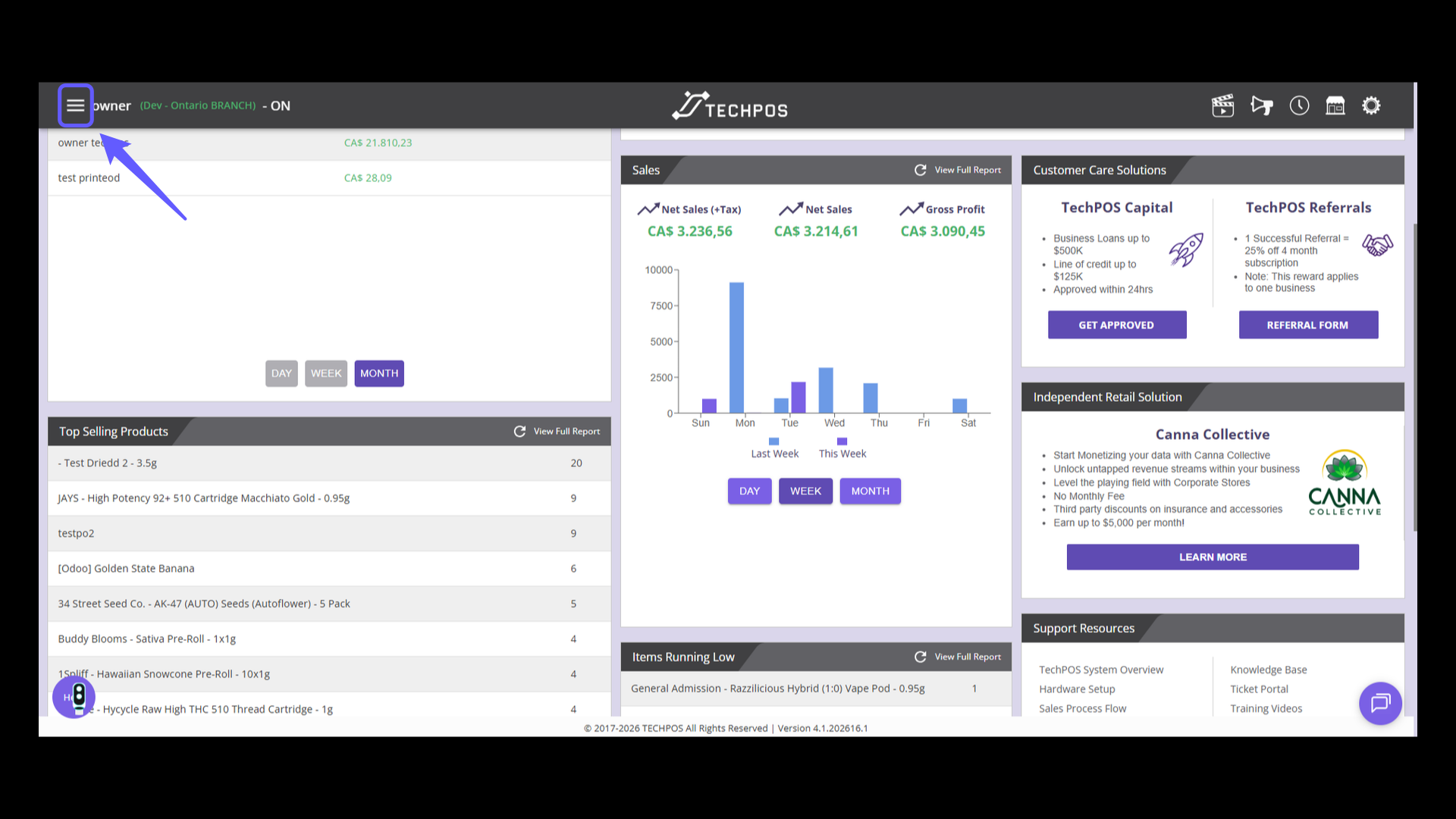
1. Open the Navigation Menu
Click the menu icon to open the navigation options.
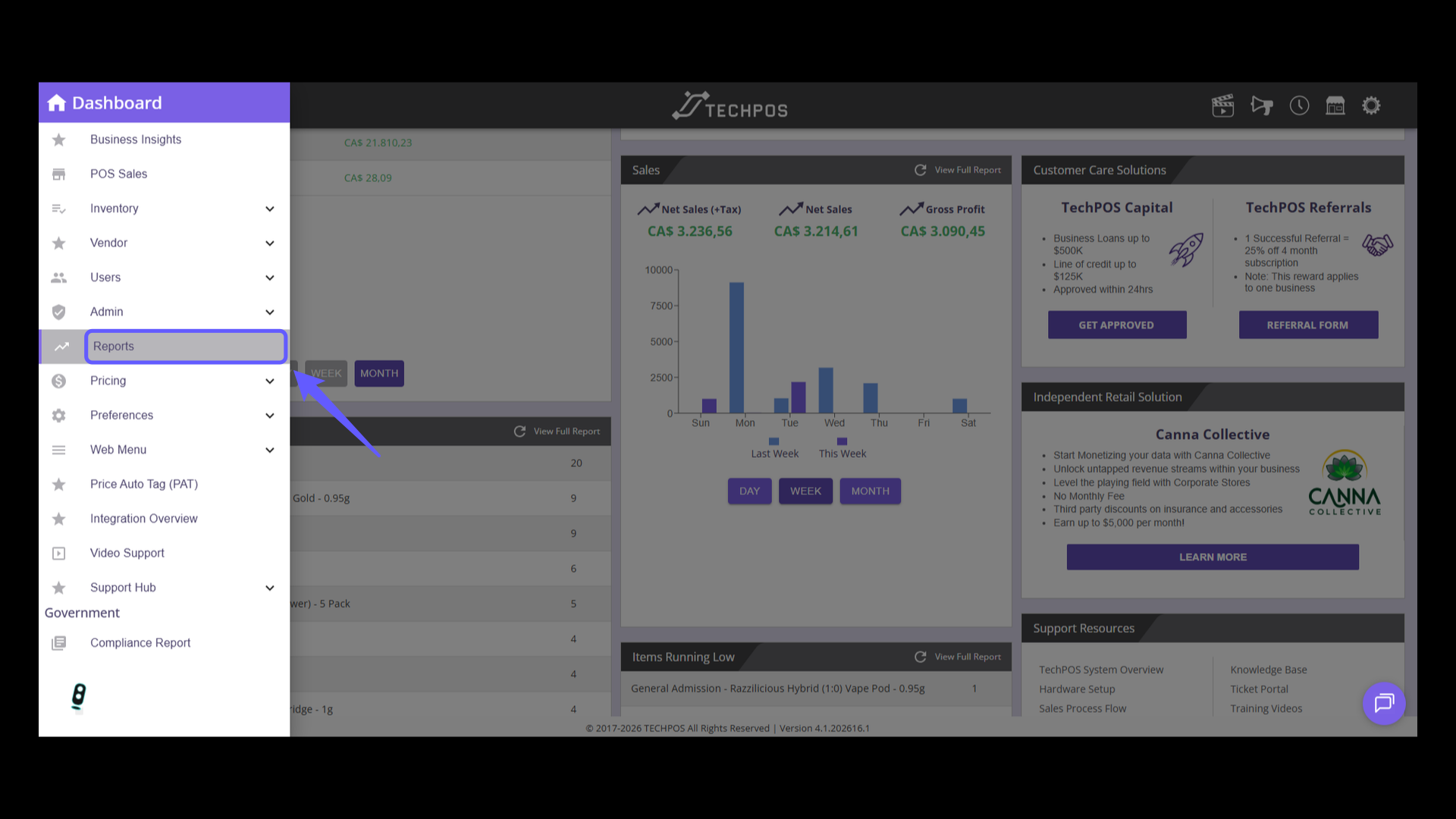
2. Access Reports
Select 'Reports' from the menu to view detailed TechPOS Reports.
3. Select Employee Profile Report
On Employee section, select Employee Profile report

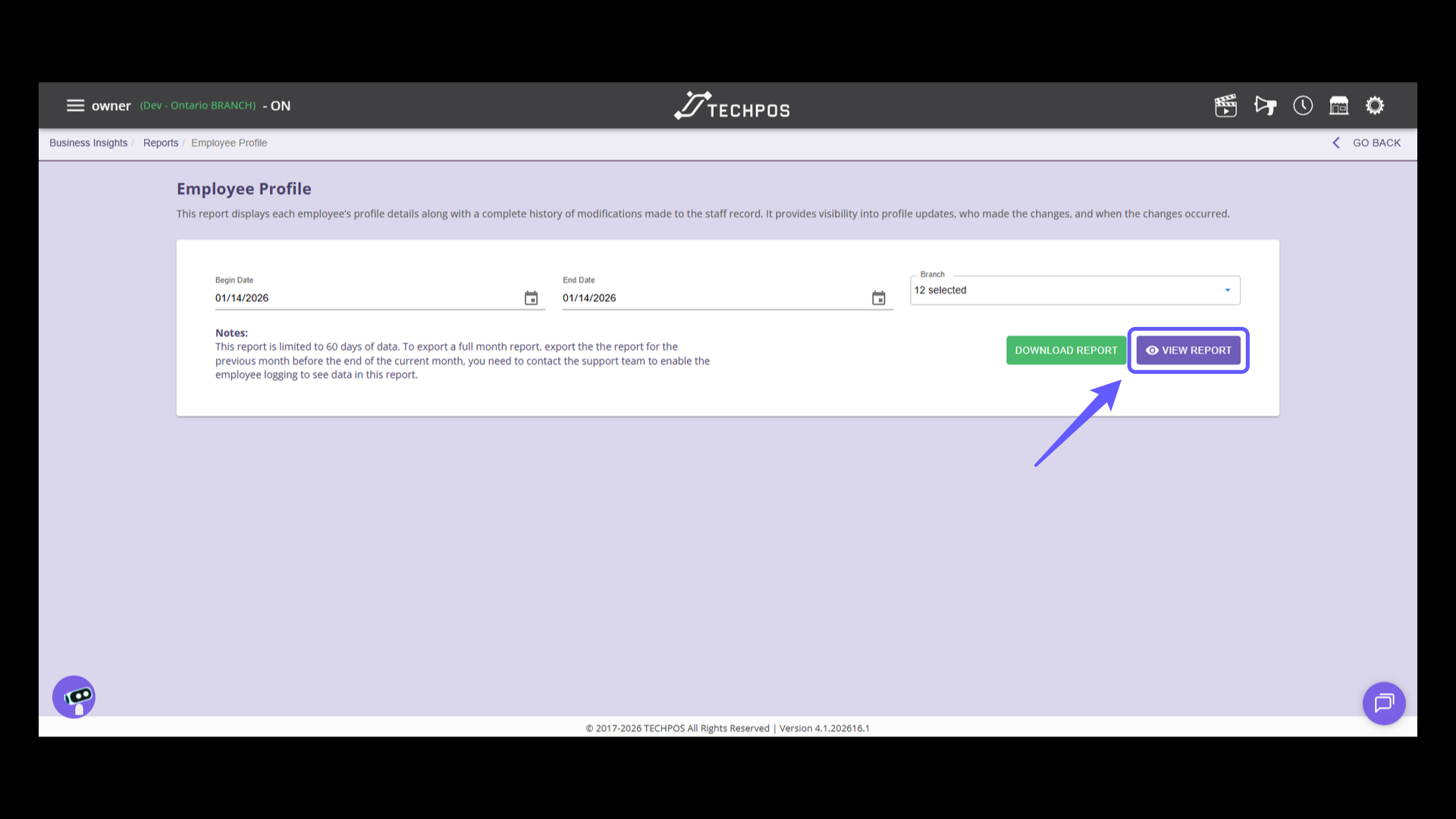
4. Access Employee Report
Discover each employee's profile details and a thorough record of every modification made to their staff records. Gain clear visibility into profile updates, who initiated the changes, and when they happened. Click 'View Report' for comprehensive insights into the employee profiles.
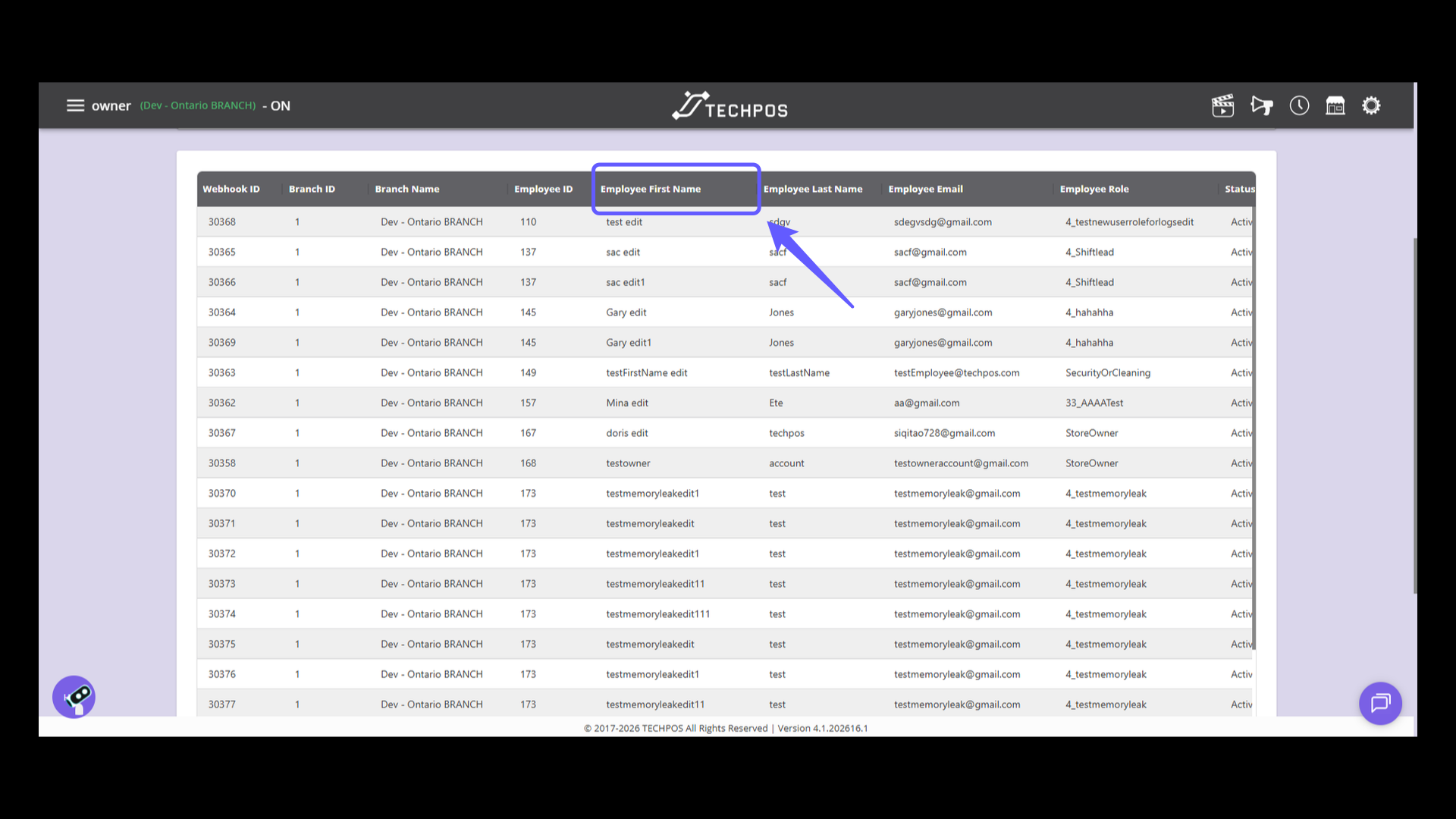
5. Filtering
Find the column titled 'Employee First Name' to view the first names of employees in the data table.
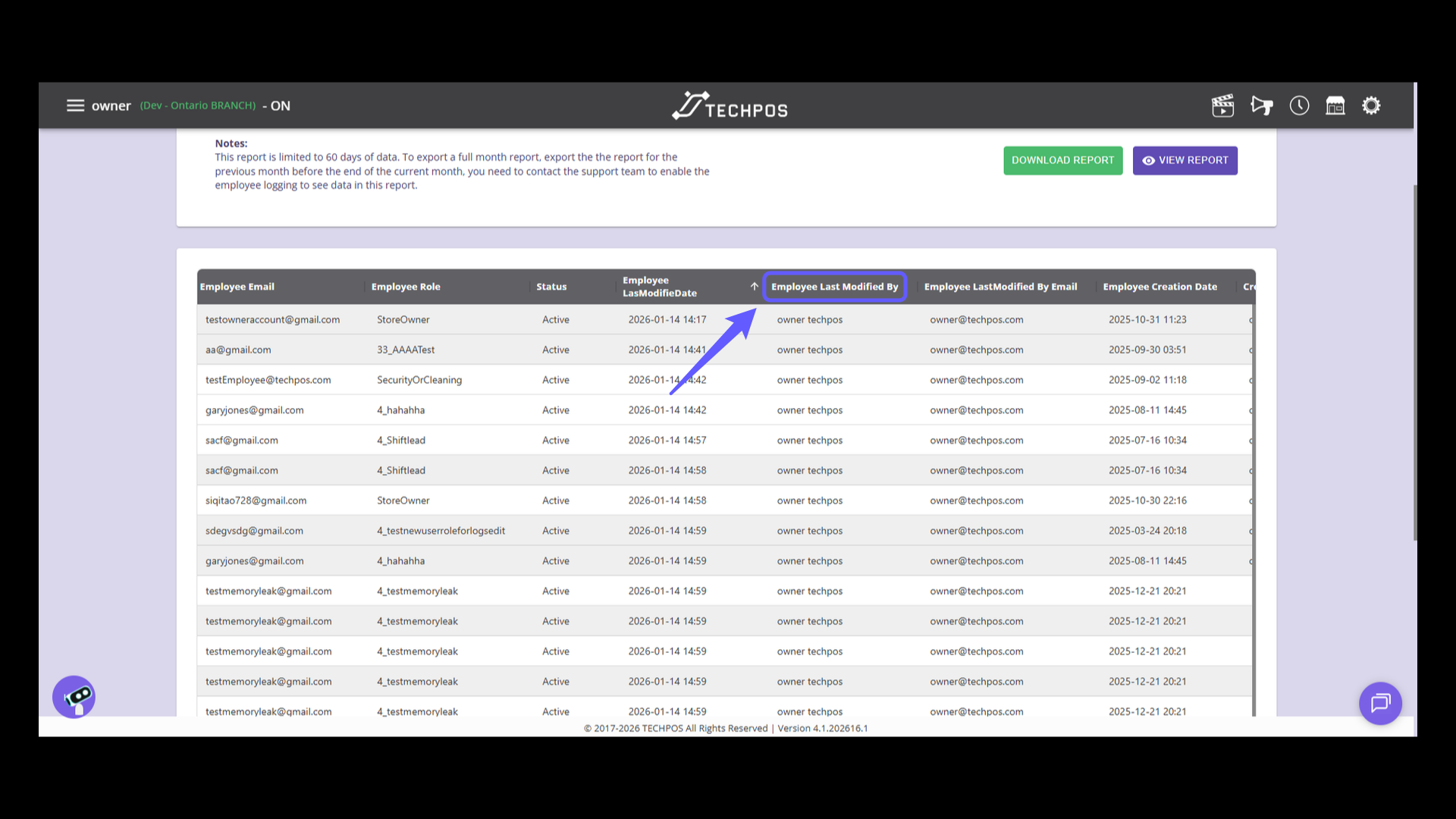
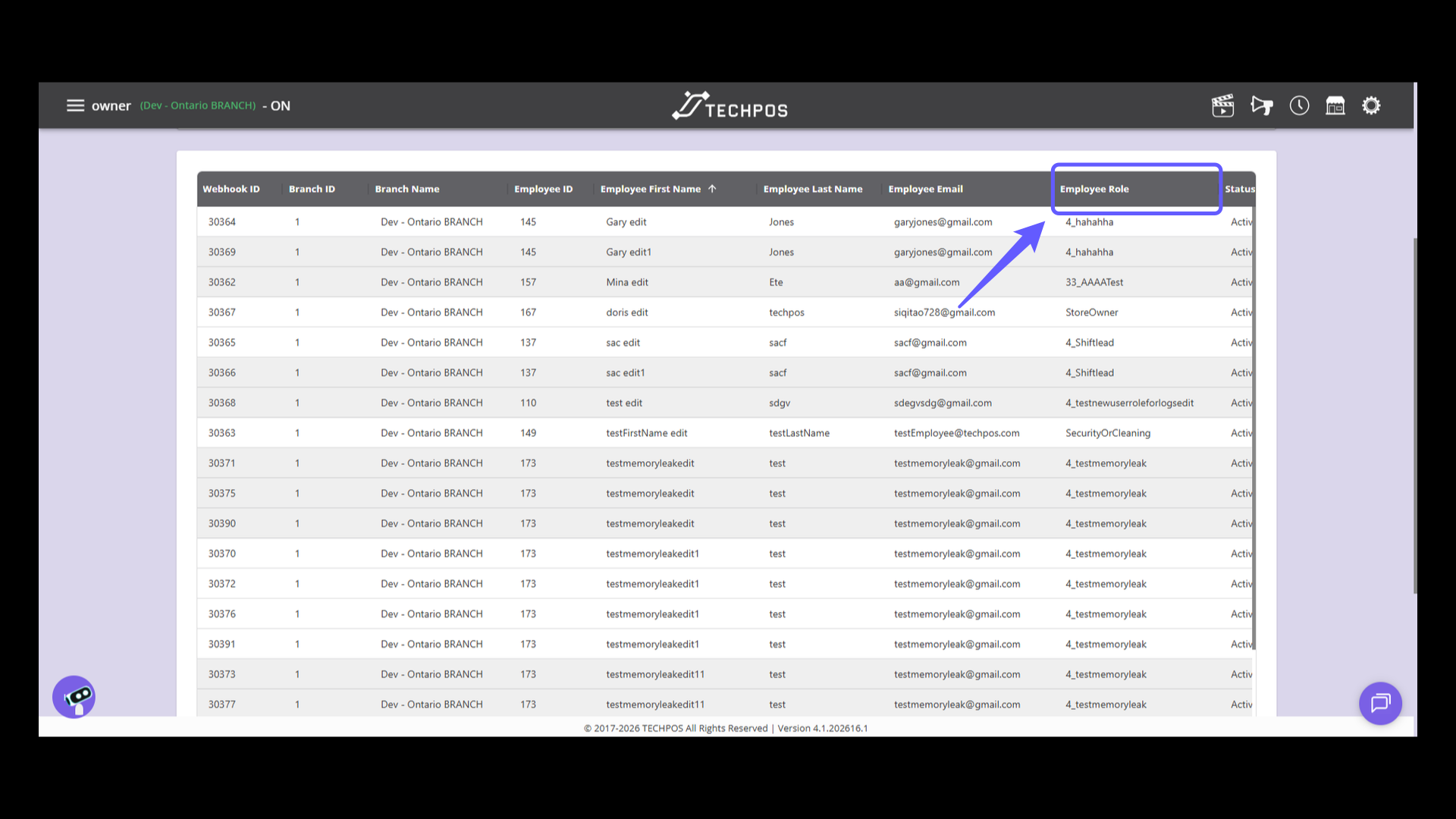
6. Identify Employee Roles
Check the 'Employee Role' column to identify each employee's position, whether they're a Store Owner or in one of the various shift lead roles.
7. Identify Modification Date
Track changes for a specific employee by referring to this report, which details modifications and identifies the individual responsible. Verify the Employee Last Modified Date to monitor update timings effectively.
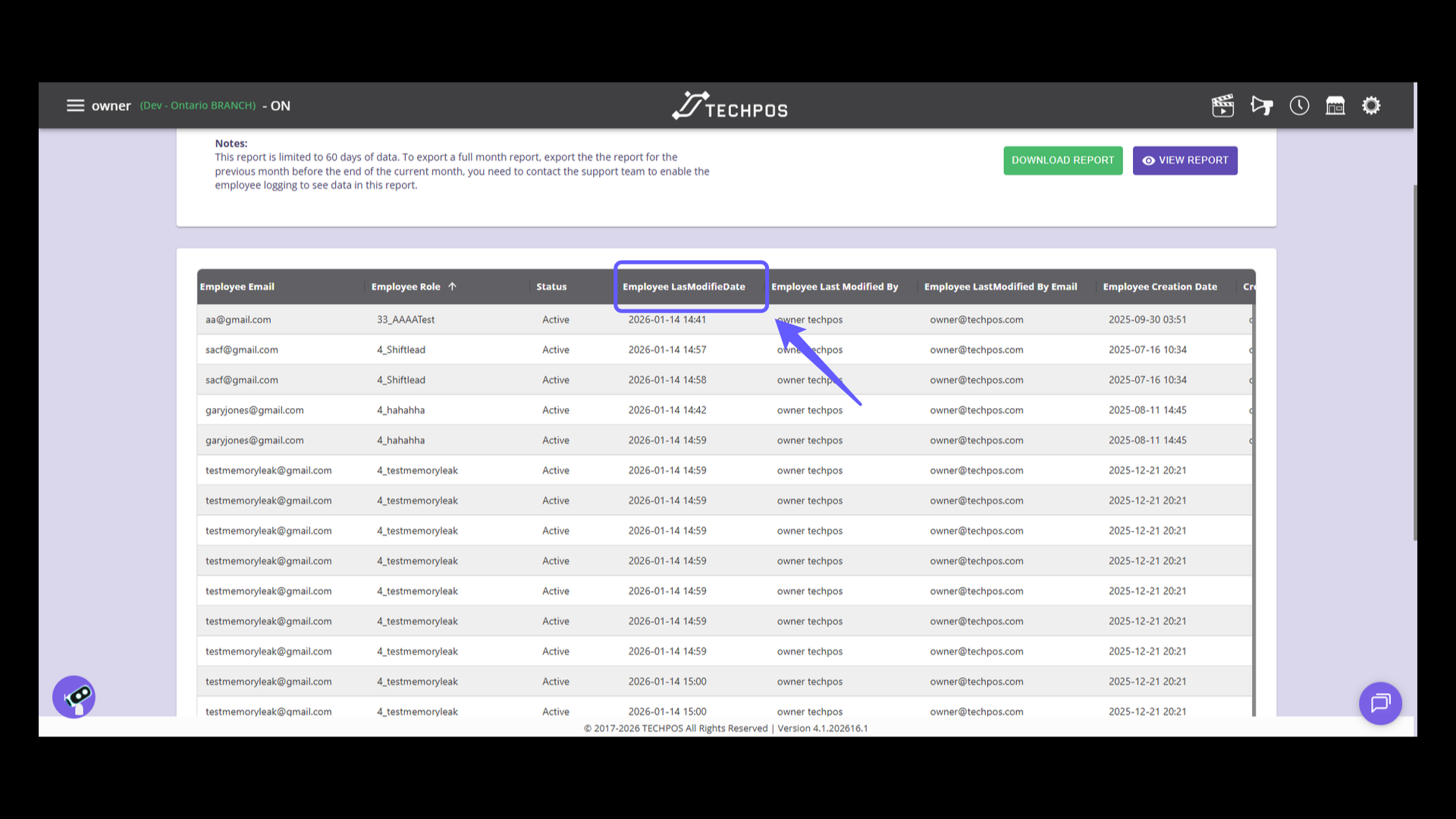
8. Identify Employee Modifier
Find the 'Employee Last Modified By' column to identify who last updated the employee records.