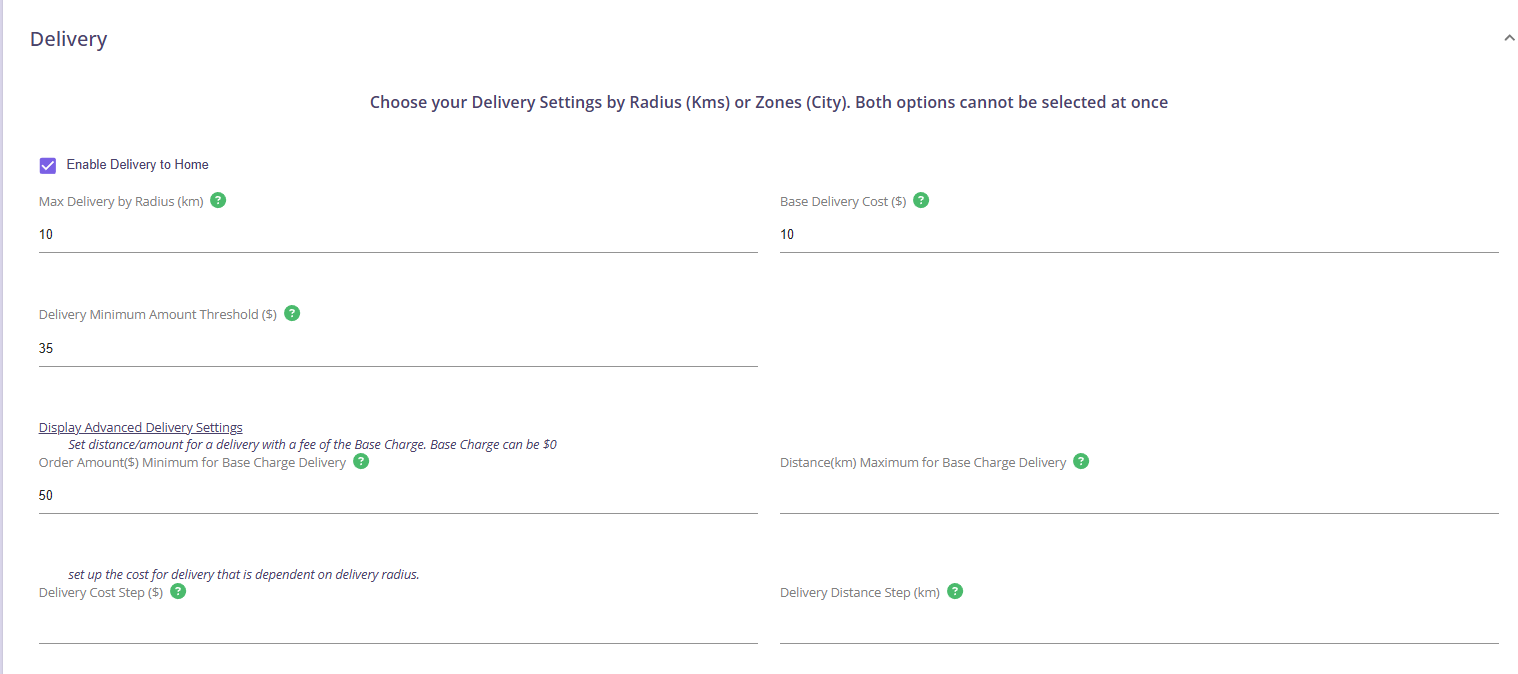
What are Delivery Fee Thresholds?
Delivery Fee Thresholds allow you to set different delivery charges depending on the customer’s cart subtotal. This helps you encourage larger orders while still covering delivery costs for smaller ones.
Examples of Threshold-Based Delivery Fees
Here are common examples you may want to set up:
-
Free delivery for orders over $50
-
$10 delivery fee for orders over $35
How Do I Set Up a Delivery Fee for Specific Order Amounts?
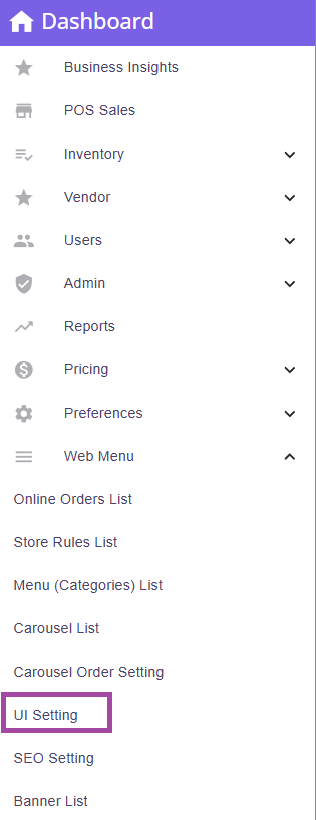
Step 1: Go to Menu > Web Menu > UI Settings
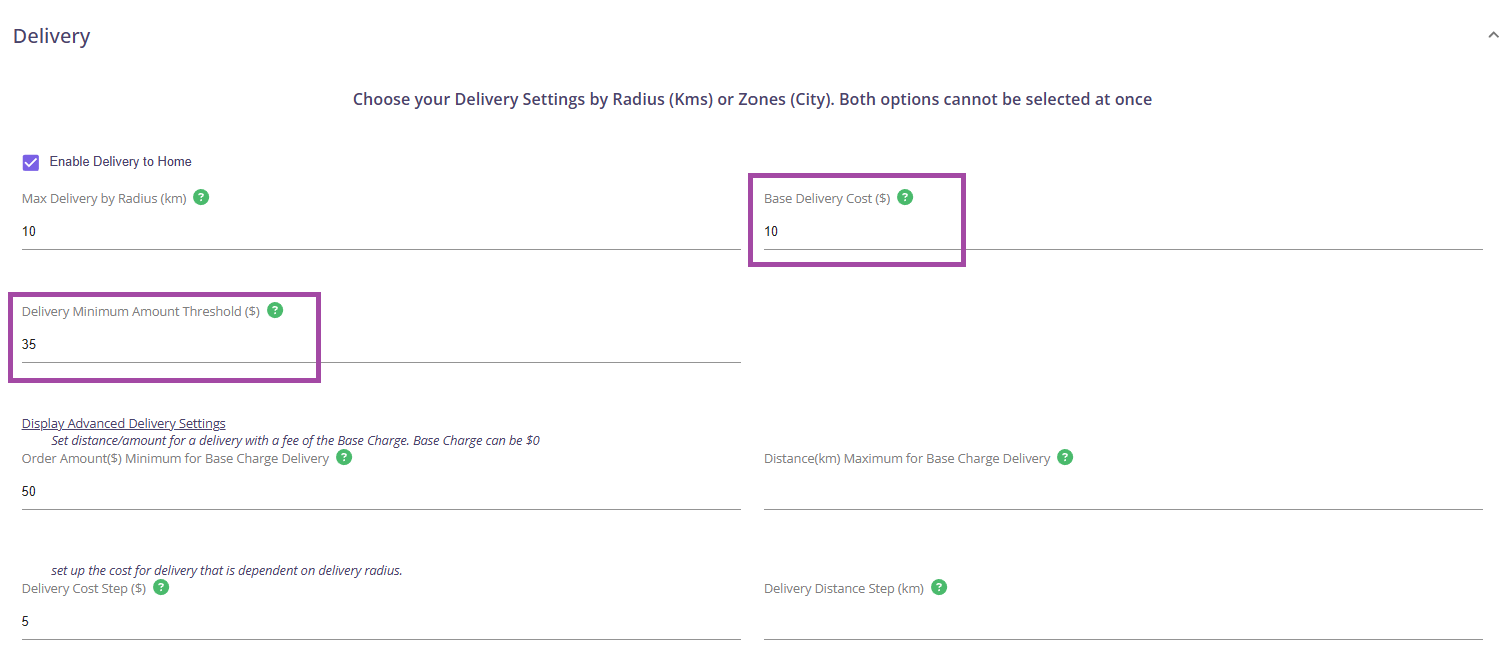
Step 2: Navigate to Delivery Section
- Base Delivery Cost
- Delivery Minimum Amount Threshold

Step 3: Set the base charge delivery and minimum amount threshold.
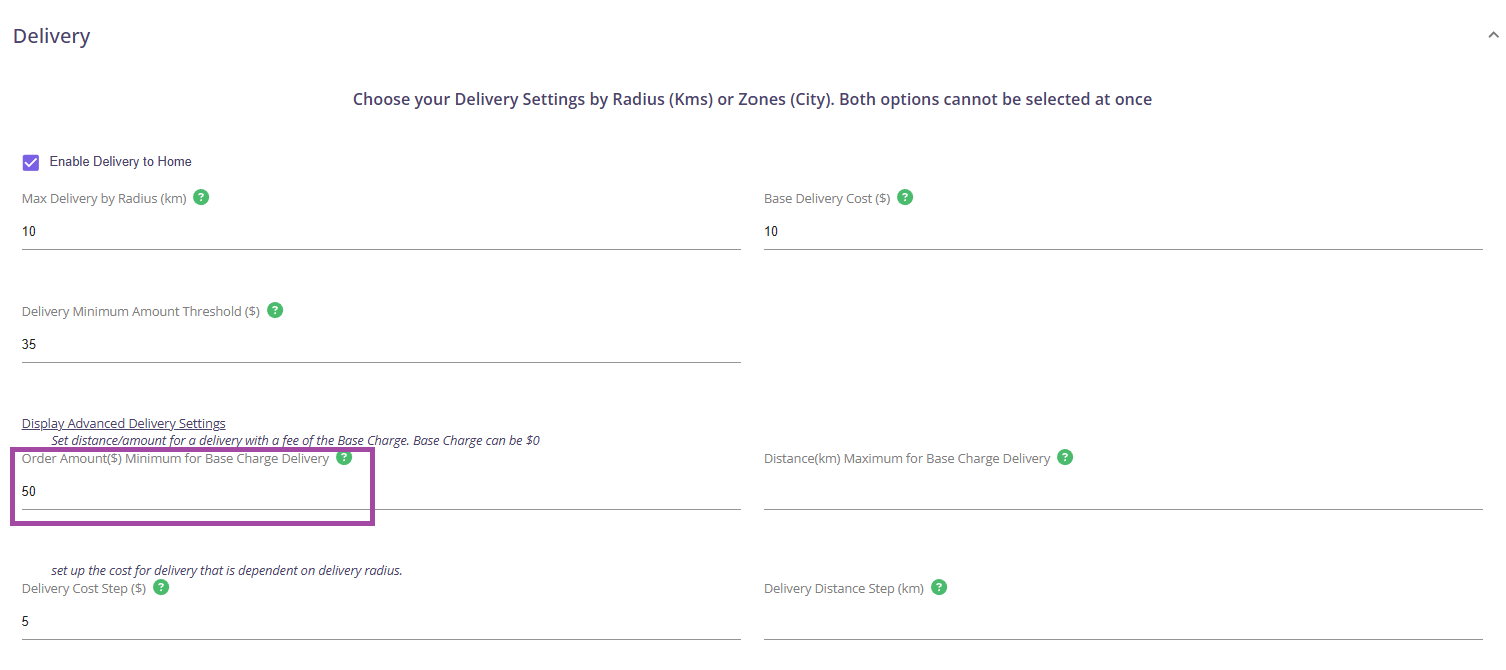
Step 4: Click on Display Advanced Delivery Settings and set the order amount minimum for base charge delivery.
- Order Amount($) Minimum for Base Charge Delivery
Example:
For the following conditions:
- Maximum delivery radius should be 10KM
- Customers pay for $10 delivery fee for orders above $35
- Customers get free delivery fee for orders above $50
The following settings should be set: