
Overview
A new permission has been added to User Roles to control access to downloading the CSV export from the Warehouse page.
This enhancement allows businesses to manage who can export inventory data.
What’s New
A new permission is now available:
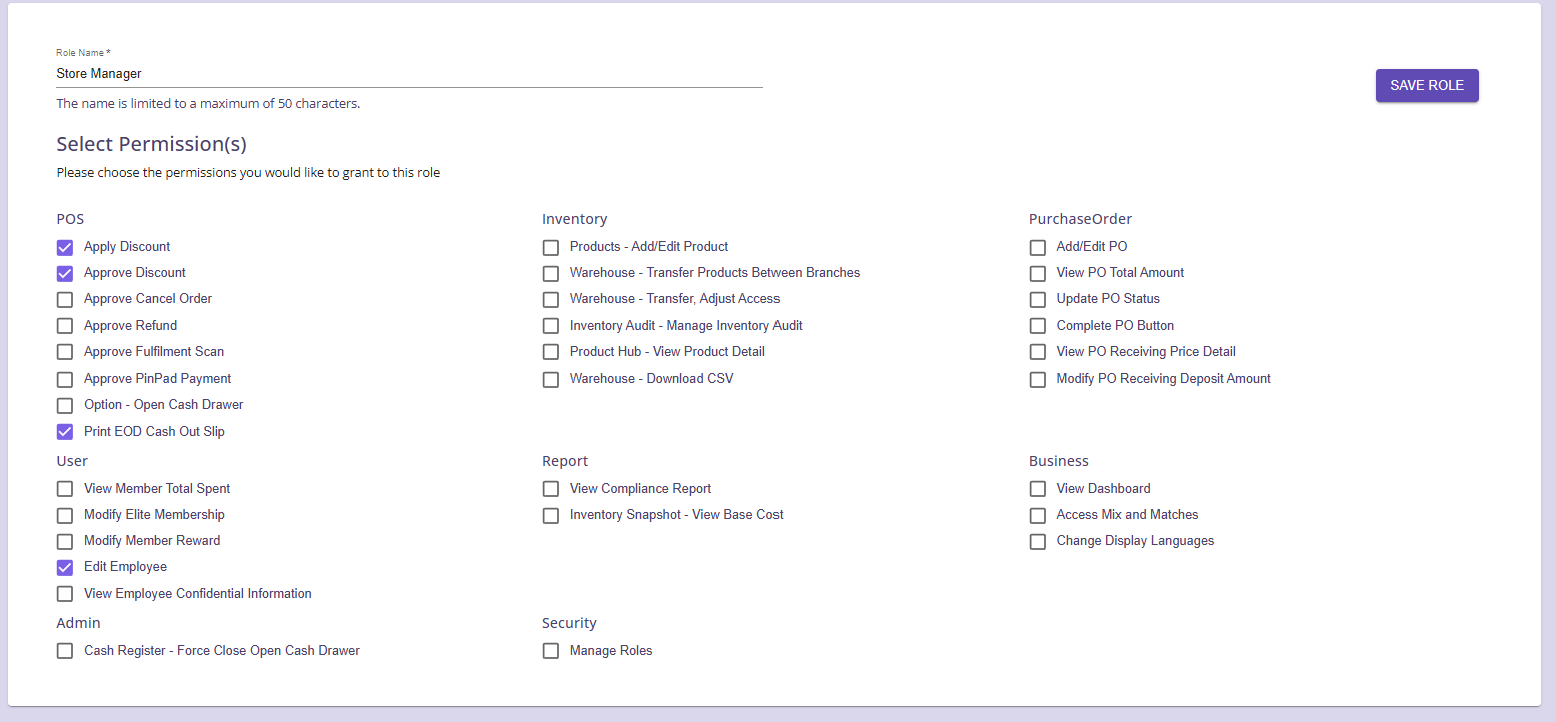
Warehouse – Download CSV
This permission determines whether a user can download the inventory CSV export from the Warehouse module.
Why This Change Matters
Previously, users with Warehouse access could encounter confusion when attempting to download reports without proper authorization.
With this update, administrators can:
-
Restrict inventory data exports to authorized staff
-
Prevent unauthorized data sharing
-
Apply clearer role-based permissions
-
Improve operational security
How It Works
Step 1: Navigate to User Roles
-
Go to Menu
-
Select Users
-
Open User Roles
-
Edit an existing role or create a new role
Step 2: Enable Warehouse CSV Permission
Under the Inventory permission section:
Enable Warehouse – Download CSV'
Step 3: Save Role
Click Save Role to apply the changes.
Users assigned to this role will now have access to download CSV exports from the Warehouse page.