![Logo-2021-WHITE.png]](https://knowledge.techpos.ca/hs-fs/hubfs/Logo-2021-WHITE.png?height=40&name=Logo-2021-WHITE.png)
Setting up the Cannabinoid on TechPOS Core:
Step 1: On the TechPOS Core, go to Menu > Inventory > Products.
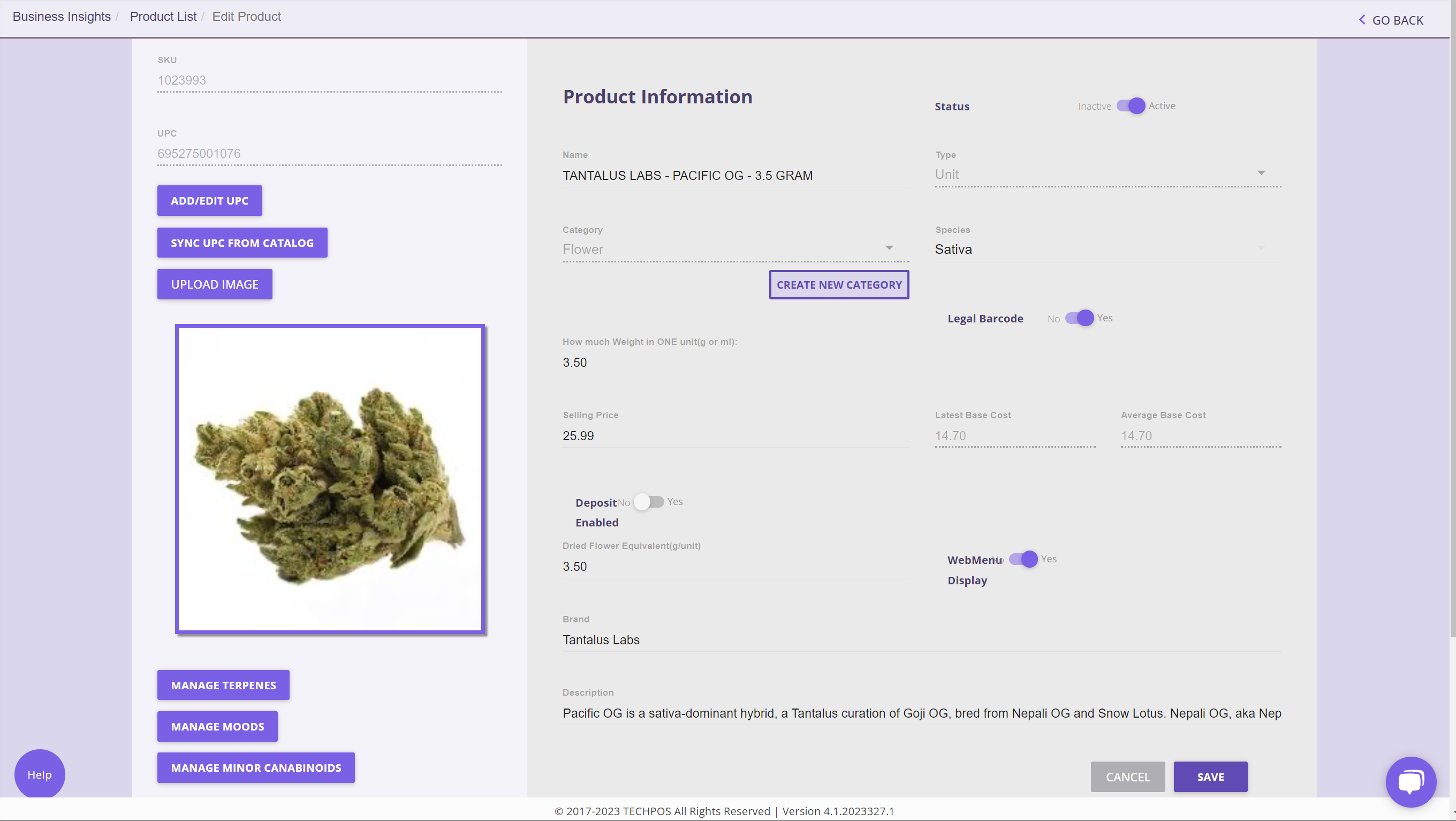
Step 2: Search for the Product and Select Edit.
Step 3: From the Product Edit Page, click on Manage Minor Cannabinoids
Step 4: Select the Cannabinoid and enter the minimum and maximum percentage
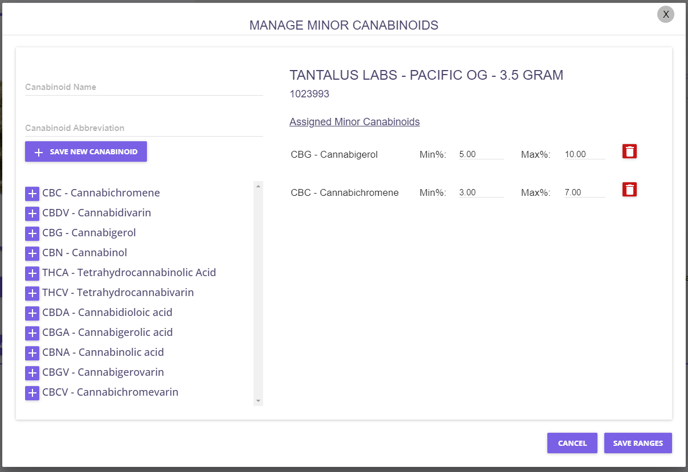
Step 5: Save Changes.
How Cannabinoids are Displayed on E-Commerce
Once setup correctly, the selected cannabinoids will be displayed on the product view page of you E-Commerce:
.png?width=688&height=598&name=Untitled%20(1).png)